Type your web address a few slightly different ways: with http:// or https://, with or without www, with or without a slash at the end. If every version opens the same page, you have one page with several addresses, and Google has to decide which one you mean. This guide shows how to give every page a single address, and how to check yours.
Why one address matters
Duplicate addresses don’t earn a penalty, but they do cost you. Google shows only one version of a page and filters out the others, so links and other signals are split between the copies, and the version in search may not be the one you would choose. The fix has three parts:
- Choose one address for every page: https, with or without www, with or without a trailing slash.
- Send every other version to it with a single permanent (301) redirect.
- Use that address everywhere you control: canonical tags, your sitemap and your own links.
Send http:// to https://
Once your site has a working security certificate, every http address should redirect to the same page on https, in one step: http://example.com/contact to https://example.com/contact. Otherwise old links and typed addresses reach pages that browsers mark “Not secure”, and Google can index both versions, splitting ranking value between them. Then set your site’s own address to https://, so new links, canonical tags and sitemaps use it; on WordPress, that means both addresses in Settings → General. Google treats the switch as a site move, so keep the redirects in place for the long term.
Pick www or not, and redirect the other
Either works, as long as only one of them serves pages. If www.example.com and example.com both open your homepage and neither redirects, Google sees two addresses for every page. Keep the version already shown in Google and used in your links and ads, and 301-redirect the other to the same path on it, so example.com/about goes to www.example.com/about, not to the homepage. Your certificate must cover both names. On WordPress, set both addresses in Settings → General to your chosen version, and WordPress redirects the other one itself, as long as your host sends both names to the same site.
Slashes, capitals and parameters count too
/shoes and /shoes/ are two addresses, and so are /About-Us and /about-us, because web addresses are case-sensitive. If both versions of a page load, 301-redirect the extra one to the main one. Capitals are a minor issue: use lowercase for new pages, and change old addresses only together with a redirect.
Parameters, the part of an address after the “?”, add more copies:
- Tracking tags such as
utm_source,gclidandfbclidbelong on links from emails, ads and other sites. On links between your own pages they create extra addresses and can overwrite where visitors really came from in your analytics. - Filters and sorting, such as
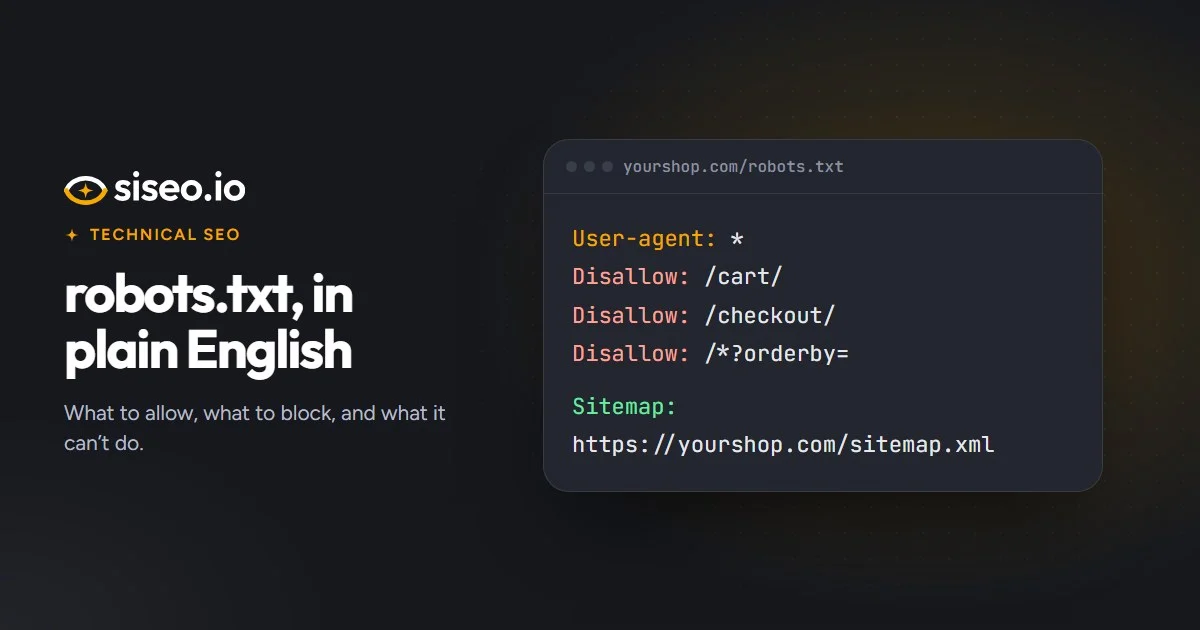
?color=or?sort=, are usually fine on a small site. On a large shop, thousands of combinations can soak up Google’s crawling, so keep crawlers out of the ones you don’t need in search with robots.txt rules.
What a canonical tag does
A canonical tag sits in a page’s <head> and tells Google which address is the main version of the page. The simplest setup gives every page you want in search one tag naming its own full address:
<link rel="canonical" href="https://www.example.com/services/web-design/">Use the full address, with https:// and your preferred host. A partial one such as /about/ resolves against whichever host serves the page, so a staging copy or the http version would name itself as the main version. Keep one tag per page, inside the <head>: Google ignores a canonical tag in the page body, and when a page carries two that disagree, it is likely to ignore them all. Two tags usually mean two tools are writing them, such as the theme and an SEO plugin. Your sitemap should list the same addresses; Google’s guide on how to specify a canonical URL has the details.
What a canonical tag doesn’t do
- It isn’t a redirect. It is a hint for Google. Visitors and links still land on the duplicate, which is why http and www need real redirects.
- It can’t rescue a bad target. Google disregards a canonical that points at an error page. One that points at a redirect, at a page set to noindex (a page that asks to be left out of search) or at a page with a different canonical of its own sends mixed signals, and Google may decide for itself.
- It shouldn’t name the http version. On an https page, that is a conflicting signal that can make Google pick the insecure version.
- It shouldn’t change after the page loads. If a script swaps it, Google may pick a different version, and crawlers that skip JavaScript never see the change. Our guide to JavaScript and AI crawlers explains why.
- It isn’t compulsory. Google says sites usually do fine without one, so a missing tag is low priority.
Which redirect to use
301 or 302
A 301 (or 308) says a page has moved for good, and Google takes it as a strong signal to show the new address. A 302, 303 or 307 says the move is temporary, so Google may keep showing the old one. Ranking signals pass through both, so a few temporary redirects aren’t urgent, but a permanent move should say so. Language, country and login redirects can stay temporary; a site-wide http or www rule shouldn’t, because it affects every page. Watch for accidental 302s: an Apache rewrite rule with [R] and no code sends one, and so does WordPress’s wp_redirect() unless it is given a status.
Chains and loops
A chain passes through two or more redirects, for example http to https, then to www, then to add a trailing slash. Each hop adds a delay, and Google recommends redirecting straight to the final page; it stops following after 10 hops. Combine the rules into one redirect, and point your own links at final addresses. A loop is worse: two rules undo each other, often one adding a trailing slash and another removing it, so the page never loads and Google drops it from search.
One shortcut to avoid: sending every missing page to the homepage. Google may treat that as a soft 404, an error dressed up as a normal page. Redirect moved pages to their closest replacement, and let addresses that never existed return a real 404.
How to check your own site
| Check | How | What you want to see |
|---|---|---|
| http to https | Open http:// plus your domain, then a few inner pages | The https version of the same page, in one step |
| www or not | Type the other version of your domain, then an inner page | One redirect to the same page on your main version |
| Redirect hops | Open old addresses with a redirect-checker browser extension | One hop at most |
| Canonical tag | View the page source and search for rel="canonical" | One tag, in the head, with a full https address |
| Google’s choice | URL Inspection in Google Search Console | The canonical Google selected matches yours |
| Missing pages | Open a made-up address and check its status code with an online header checker | A 404, not your homepage |
When siseo scans a site, it runs these checks: it tries the other host name and the http version of your homepage, follows every redirect it finds, tests where each canonical tag points, and requests a made-up address to see whether your site answers with a 404.
In short: one page, one address. Redirect every other version to it in a single 301 hop, and make your canonical tags, your sitemap and your own links name the same address.