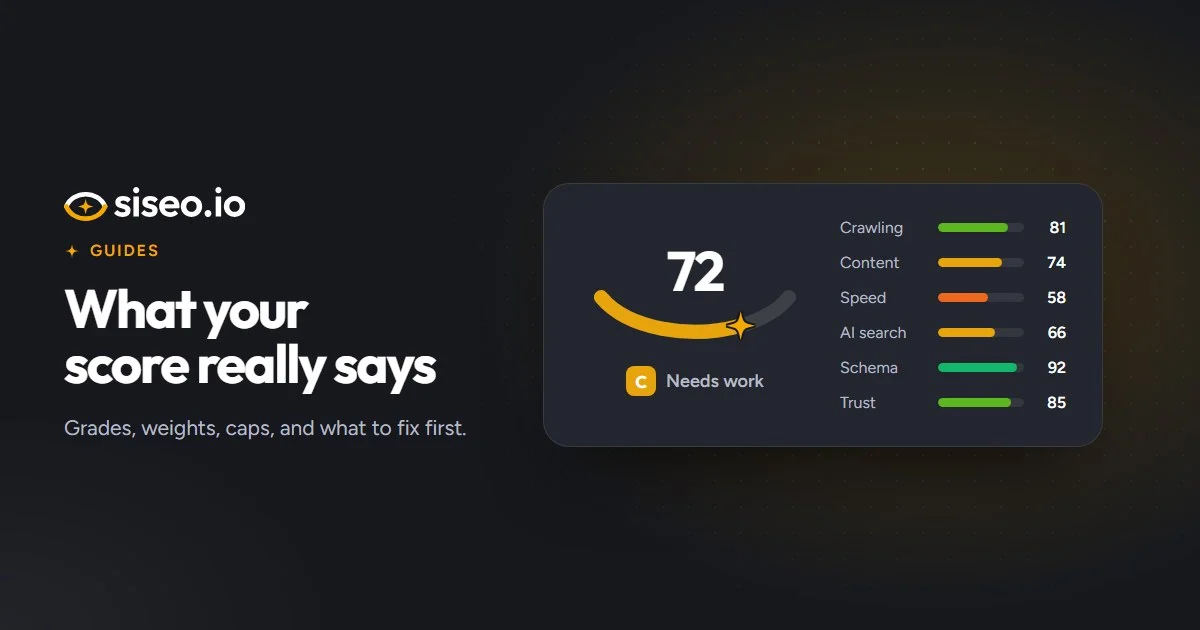
Your siseo result opens with a number out of 100 and a letter grade. It sums up 182 checks in a single figure, which makes it easy to compare and easy to misread. This guide explains what goes into the number, why it sometimes won’t rise however much you fix, and how to use it to decide what to do first.
The score is our own measure, not Google’s
Google doesn’t publish an SEO score, and it says outside tools have no view of its ranking data. Ours measures how healthy a site is for search: whether search engines can reach and read your pages, how clearly those pages say what they are about, how fast they are, and whether AI search can use them. Read it as a health check, not a ranking forecast.
What the number and the grade mean
Each area of your site starts at 100, and every issue we find costs points. How many depends on three things:
- How serious it is. Issues are rated critical, high, medium or low. Notes cost nothing: they flag things worth knowing, such as a deliberate block on AI training crawlers.
- How much of the site it touches. A problem on one page in two hundred costs around a third as many points as the same problem on every page. On a quarter of your pages, it already costs about two-thirds as many.
- How sure the check is. Less certain findings cost fewer points.
Area scores follow a smooth curve that never drops below zero. The full report shows how many points each issue cost, so you can see exactly why a site scored 66 rather than 80. The grade follows the overall score:
| Grade | Score |
|---|---|
| A | 90 to 100 |
| B | 80 to 89 |
| C | 65 to 79 |
| D | 50 to 64 |
| F | Below 50 |
How much each area counts
The checks fall into eight areas, but internal links count towards crawling and indexing, and mobile towards on-page and content, so the overall score is a weighted average of six.
| Area | Share of the score | What it covers |
|---|---|---|
| Crawling and indexing | 25% | Whether search engines can reach, read and keep your pages, including robots.txt, sitemaps, redirects and internal links |
| On-page and content | 20% | Titles, descriptions, headings, text, images and how pages work on a phone |
| Speed and Core Web Vitals | 20% | How fast pages load and respond for real visitors |
| AI search readiness | 15% | Whether AI search engines and assistants can fetch, read and quote your site |
| Structured data | 10% | The code that earns rich results in Google |
| Security and trust | 10% | HTTPS, certificates, security headers, malware flags and the pages that show who runs the site |
Two rules keep the average honest. A check that couldn’t run, for example because Google’s speed test returned nothing, is recorded as not applicable rather than counted as a pass, and an area with nothing left to measure is set aside while the others fill its share. And an area where every check that could run failed scores at most 49. A site with no structured data may fail only one minor check, but that area isn’t working, so it can’t score 97. The full list of checks is on what we check.
Why one problem can cap the whole score
Some failures make everything else beside the point. If your homepage tells Google not to index it, good titles and fast pages can’t help. For problems like these, the overall score has a ceiling:
| The problem | Highest possible score |
|---|---|
| Google lists the site as dangerous, usually after a hack (checked in the full report) | 29 |
| The homepage tells search engines not to index it | 39 |
| robots.txt blocks Google from the site or the homepage | 39 |
| robots.txt can’t be reached: a server error, “too many requests” or no answer | 39 |
| The security certificate brings up a full-page browser warning, for example because it has expired or is for the wrong domain | 39 |
| The site has no working HTTPS version | 49 |
| Server errors on a quarter or more of the pages | 59 |
| Redirect loops on a quarter or more of the pages | 59 |
| Almost empty pages, under ten words, on half or more of the pages | 59 |
A cap is a ceiling, not an extra deduction: a score that would be lower anyway stays where it is, and when several caps apply, the lowest counts. Scores of 29, 39 and 49 are F grades; 59 is a D. Caps only apply to findings we are certain about, and the full report names the problem behind one. Fix that first, because nothing else can lift the score above the line until you do. Two of the caps come from robots.txt, which our plain-English guide to robots.txt explains.
Why some findings are marked less certain
Most checks are certain because they read something definite, such as a tag in your HTML or a status code: 149 of the 182 are rated high-confidence. The rest have to infer, for example:
- A lab speed test, used when Chrome has too few real visits for real-visitor data.
- A test that requests your homepage as each AI crawler, sent from our servers rather than the crawlers’ own networks.
- Spotting a “not found” page by its wording when the server reports success.
- Judging that a page is thin, or nearly a copy of another.
- Timing server responses from a single location.
We mark these findings as less certain. They cost fewer points, never cap the score and rank lower in the order of fixes. The evidence can lower a single finding further: behind a service that checks crawlers by their network address, such as Cloudflare, our AI crawler test can’t see what the real crawlers get, so that result is marked as unsure.
They are also kept out of the free result. siseo’s free scan shows the three highest-priority issues we are sure of, at most one per area so you see the spread, and never a note. Most people act on those three first, so a false alarm there would send you chasing a problem you don’t have.
How the fixes are put in order
Priority asks the same three questions as the score: how serious, how much of the site, how sure. A critical problem on every page comes first; a minor detail on two pages comes last.
The full report lists the top ten fixes in that order, then sorts the rest into this week, this month and later. Critical and high issues go into this week, along with medium ones that take an hour or less and touch a good share of the site. Other medium issues go into this month, and low ones later. Each fix says who usually does it (the site owner, a content editor, a developer or the hosting provider) and roughly how long it takes, as the sample report shows.
What the score can’t tell you
The score covers what can be seen from outside: the pages we crawled (up to 200 in the free scan and 1,000 in the full report), their code, their speed and how crawlers are treated. It doesn’t cover pages behind a login, your Search Console data, rankings over time, conversions, or off-site factors such as reviews and local listings. A high score means little of what we can measure is holding the site back. Whether it ranks still depends on how well your pages answer what people search for, and on the competition.
The most useful comparison is with yourself: fix the top of the list, scan again and watch the points come back. The full report includes one free re-scan within 30 days for exactly that.
In short: the number is a summary, and the list underneath it is the useful part. If a cap applies, fix that problem first. Then work down the list in order. Low-severity issues are polish: worth doing when you have time, never ahead of a critical one.