Before an AI answer can cite your website, a crawler has to find the page, fetch it, read the words and be allowed to use them. If any of those steps fails, it doesn’t matter how good the page is, because it was never in the running.
That groundwork is technical SEO, and it is older than any AI assistant. Google’s John Mueller expects it to stay important for AI search, which is reassuring but not much use on its own. This guide turns it into something you can check on your own site: what to look at, in what order, and which “AI SEO” tactics you can leave alone.
What Google has actually said
In an interview with David Iwanow at Search Central Deep Dive Europe 2026, Mueller was asked whether AEO and GEO, the newer names for optimising for AI answers, are dead. His answer, reported by Search Engine Journal, was that many AI systems build on SEO, so it isn’t going away. “I think especially technical SEO is going to remain very relevant,” he said.
The one difference he pointed to is how AI systems crawl. Some collect pages for training, others want the latest version of a page, and he treats that as a variation on technical SEO rather than a new field.
Google’s written guidance says much the same. Its page on AI features and your website says AI Overviews and AI Mode have no extra requirements: no special files, no special markup. A page has to be indexed and eligible to show in Search with a snippet (the text preview under a result), and even then Google doesn’t guarantee it will be used. The basics it lists are familiar ones: let crawlers in, link to your pages, keep the important content in text, and give visitors a good experience.
In short: AI search depends on the technical basics rather than replacing them. Make sure crawlers can find your pages, reach them, read the words in the HTML and quote them. Treat anything sold as a way round those steps as an experiment, not a plan.
Five things that have to go right, in order
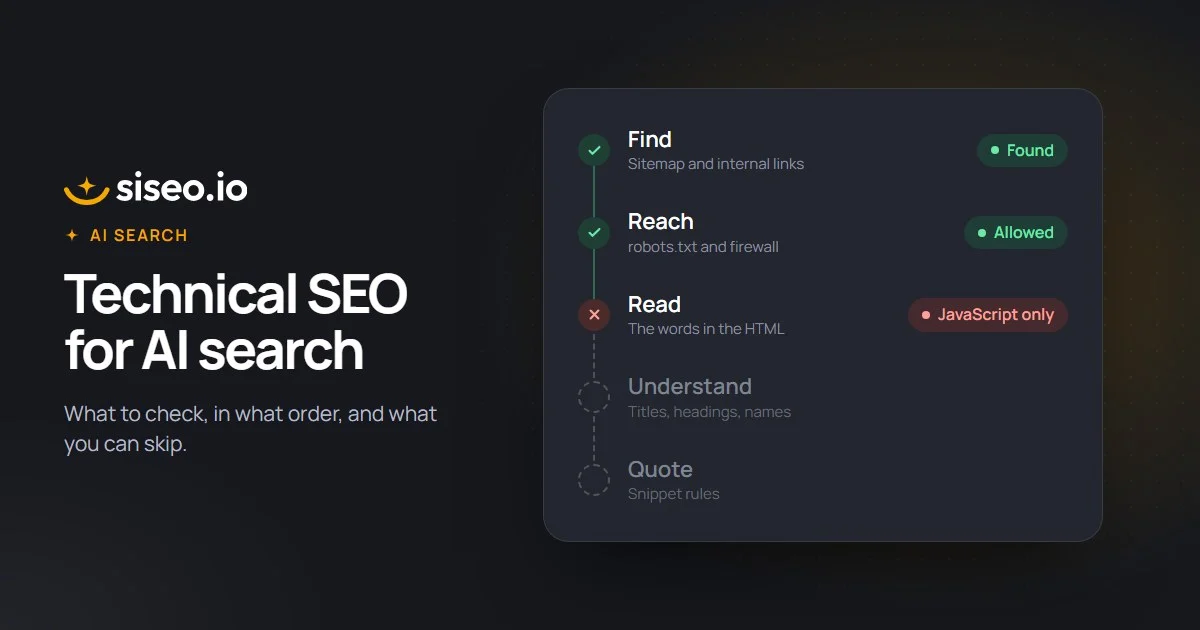
Neither Mueller nor Google’s page tells you where your own site stands, so here is how we would check. Work from the top: each step depends on the one before, and there’s no point rewording a page that a firewall refuses to serve.
- Find: crawlers learn the page exists. This fails when nothing links to the page, the sitemap is missing or out of date, or the same page sits at several addresses. To check, open
/sitemap.xmlon your site, then try the redirect checker. - Reach: your server hands over the page. This fails on a robots.txt rule, a firewall or security plugin that refuses crawlers by name, a consent wall, or a server that gives up under load. The AI crawler checker and robots.txt tester will show you.
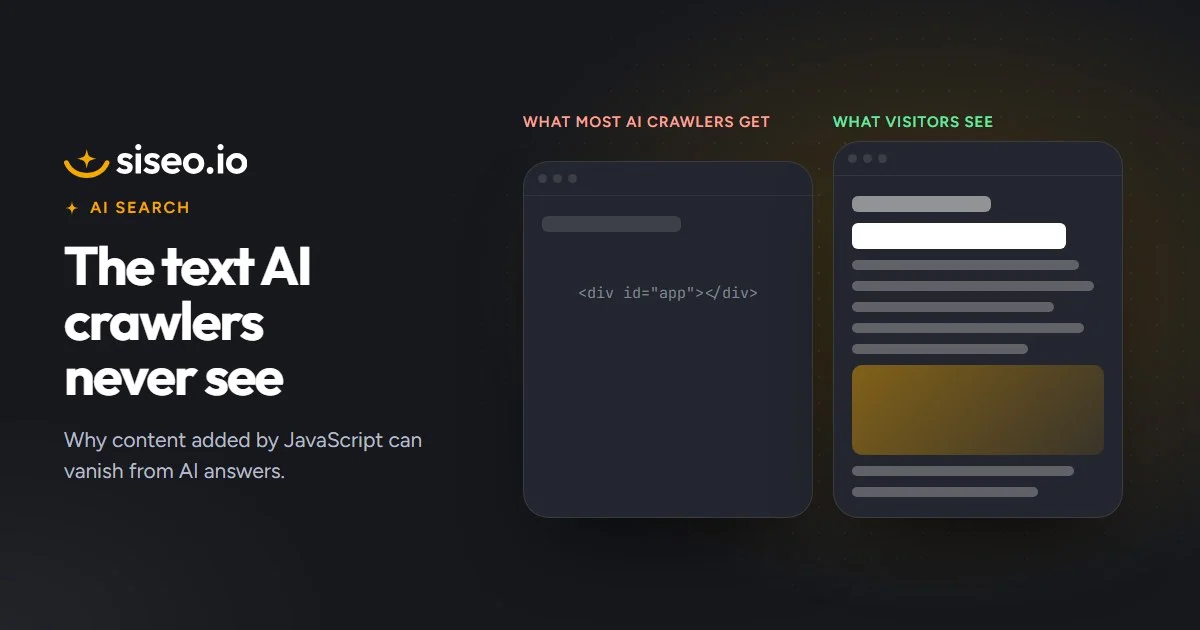
- Read: the words are in the HTML. This fails when text and links are added by JavaScript, which most AI crawlers don’t run, or when facts appear only in images. Choose “View page source” and search for a sentence from the page. Our JavaScript guide has the details.
- Understand: the page says plainly what it is and who is behind it. This fails on vague titles and headings, or a business called different things on different pages. Try the title and description checker, then read the page as a stranger would.
- Quote: rules on the page allow its text to be used. This fails on
noindex,nosnippetormax-snippet:0for Google, andnoarchiveornocachefor Bing and Copilot, often old settings that nobody chose. Search the page source for those words. AI crawlers explained covers what each one does.
Almost none of this is specific to AI. The same steps decide how you do in ordinary search, so the work counts twice.
Different crawlers are after different things
The difference Mueller described changes where you look first rather than what you do. Our guide to AI crawlers lists them by name and explains what blocking each kind costs. In practice:
- Training crawlers collect text in bulk. GPTBot, ClaudeBot and others gather pages for future models rather than today’s answers. The only question is whether you want them, and refusing them costs nothing in search. Just check the rule says only that, because a careless one catches the search crawlers too.
- Search crawlers keep an index up to date. OAI-SearchBot, Claude-SearchBot, PerplexityBot and Googlebot need to notice new and changed pages, so links, sitemaps and honest dates matter most.
- Assistant fetchers open one page at one moment. When someone asks ChatGPT about your pricing page, ChatGPT-User may fetch it there and then. The page has to load at that moment, with no consent wall or bot check in the way and the words in the HTML.
Crawlers with no Search Console need signposts
You can hand Google and Bing your sitemap through Search Console and Bing Webmaster Tools. The companies behind AI training crawlers usually offer nothing like that, as Mueller pointed out on Google’s Search Off the Record podcast in October. He suggested giving the file the plain name sitemap.xml, or using RSS feeds, and said he has seen AI crawlers ask for both in his own logs, though he didn’t say which ones. So give every crawler the same signposts:
- Put your sitemap where crawlers will look. If your CMS platform publishes it under another name, that’s fine, but name it in robots.txt with a line such as
Sitemap: https://www.example.com/sitemap.xml, which any crawler reading the file can follow. - Leave your RSS feed on if you publish articles or news. It gives crawlers a short list of what’s new.
- Keep the dates honest. The
lastmoddate in a sitemap says when a page last changed. Google uses it only where it proves accurate, and Bing says it helps decide what to recrawl for AI-powered search. A sitemap that stamps every page with today’s date tells them nothing. - Link to new pages from old ones. A page nothing links to is hard for any crawler to find, sitemap or not, and the links have to be real links in the HTML.
See what really happens in your server logs
Mueller knows what crawlers ask for because he looks, and you can too. Your server’s access logs record every request: who asked, for which page, and what your server answered. Most hosts let you download them, and searching for the names you care about takes a minute:
grep -E "SearchBot|ChatGPT|Claude|Perplexity|GPTBot" access.logA text editor’s search does the same job. Each match is one long line, something like this (wrapped here so it fits):
203.0.113.7 - - [03/Nov/2026:08:14:22 +0000]
"GET /pricing/ HTTP/1.1" 403 162 "-"
"Mozilla/5.0 (compatible; OAI-SearchBot)"
The number after the request, 403 here, is the status code: your server’s answer in three digits.
| Status code | What the crawler got |
|---|---|
| 200 | The page |
| 301 or 302 | A redirect: fine once, wasteful in a chain |
| 403 | Refused, usually by a firewall or security plugin |
| 429 | Told to slow down by a rate limit |
| 500 to 599 | An error on your server |
Treat the result as a strong hint rather than proof. Anyone can borrow a crawler’s name, which is why OpenAI, Anthropic and Perplexity publish the network addresses theirs use. And no visits doesn’t always mean a block: small sites simply get fewer. For Google, the Crawl stats report in Search Console shows the same picture without any log files. If your platform doesn’t give you logs at all, the checkers listed above test the same gates from outside.
What you can leave alone
Mueller’s warning was about a pattern he has seen many times. A tactic works, everyone piles in, many do it badly, and the systems learn to spot it. A plan built entirely on that tactic then has nothing to fall back on. Experimenting is fine, he said, as long as a solid foundation sits underneath. Here is how the current favourites look from there.
Markdown copies of your pages for bots
Google says its AI features need no special files, and in February Mueller questioned the idea directly: can crawlers follow links in such a file, and what becomes of your navigation and internal links once the page around the text is gone? He favours clean HTML instead. A second copy is also one more thing to keep in step with the first.
llms.txt, if you’re relying on it
An llms.txt is a proposed file that lists a site’s main pages for AI tools. Google says Search doesn’t use it, no major AI search service says it reads one, and SE Ranking’s study of about 300,000 domains found no clear link with AI citations. It only takes minutes to add, so it’s a fair small extra: our llms.txt checker tests the format, and the full report writes one from the pages we scanned if you have none. It isn’t a fix, though, so be wary of anyone selling it as the answer to AI search.
“Best of” lists that put you first
Mueller doesn’t think a list is spam just for being a list; it has to add value. The test is whether someone comparing options would learn something: clear criteria, real testing, rivals treated fairly. A page like that is useful whoever wrote it. A stack of them written only to put your own name on top is the kind of tactic he expects to stop working.
Old tricks under new names
Hidden text, keyword stuffing, cloaking (showing crawlers something visitors don’t see), link swaps and low-quality directories are all being sold again, this time as AI optimisation. Google’s spam policies cover every one of them, and they also cover attempts to manipulate AI responses in Search.
Questions to ask anyone selling you AI SEO
Mueller’s advice to small businesses was to keep questioning what your vendors do. Google’s page on hiring an SEO lists warning signs of its own, such as guaranteed rankings, secrecy about methods and link schemes. These questions help separate useful work from the rest:
- What exactly will you change on my site, and can I see each change? A vague answer is an answer.
- Would this still be worth doing if AI search disappeared tomorrow? Groundwork would be. A tactic wouldn’t, which doesn’t make it wrong, but you should know which one you’re paying for.
- Does any of it show crawlers something visitors don’t see? The answer should be no.
- Where will the links and mentions come from, and can I have the list? If they are bought or swapped, it is your site that carries the risk.
- How will we measure it? AI answers can change from one asking to the next, so a single screenshot proves very little.
- Can you guarantee a place in ChatGPT or AI Overviews? The honest answer is no. Google says nobody can guarantee a top ranking, and nobody outside these companies controls what their AI answers say.
What technical SEO won’t do
Passing all of this gets you into the running. It doesn’t get you chosen. For Mueller, the aim is to be worth showing to people in the long run, by search engines and AI systems alike, and that comes down to useful pages, clear facts about your business and a site that is pleasant to use. In Search Engine Journal’s report, Roger Montti adds the part that is easiest to forget: getting your work in front of the people it is for, so they know you exist.
Run the check on your own site
siseo’s free scan does most of this for you on up to 100 pages. It requests your homepage the way each AI crawler identifies itself and compares the answers with a normal browser request, reads your robots.txt and sitemap, compares a sample of pages’ HTML with what a browser shows, and looks for rules that stop a page being quoted. The full report covers up to 1,000 pages and puts every fix in the order to tackle it. What we check explains each test.
It can show you what is standing in the way. No tool, ours included, can promise you a place in any search engine or AI assistant.